

Welcome to the PayDues platform! Whether you’re a small business owner, event organizer, or community leader, PayDues (accessible at dashboard.paydues.ng) makes it easy to collect payments, run voting campaigns, and manage events—all without needing a full website. Our dashboard is designed for seamless setup, with tools like Payment Links for quick transactions, Voting Links for engaging campaigns, and Event Ticketing for organized gatherings.
Creating an Event with Tickets: From Setup to Sell-Out
Event Ticketing is an all-in-one platform: “Create and manage ticketed events with customizable details, from virtual webinars to in-person gatherings.”
Use Cases for Event Ticketing
Tailored for diverse gatherings:
- Social Parties: Birthdays, weddings, or end-of-year bashes.
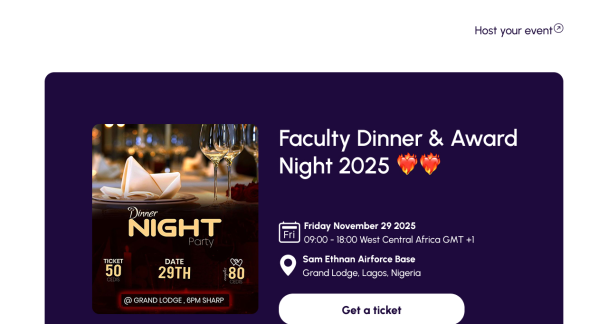
- Dinners and Award Nights: Corporate galas with tiered tickets (e.g., VIP tables).
- Community Events: Getaways, festive parties, or neighborhood meetups.
- Music and Entertainment: Concerts, on-campus tours, or artist performances.
- Tech-Focused Events: Hackathons, webinars, or conferences (virtual/physical).
- Educational: Workshops, courses, or seminars with add-ons like materials.
In Nigeria, ideal for Afrobeat concerts, tech meetups (e.g., Lagos Tech Fest), or cultural festivals.
Things to Consider Before Creating an Event
Events involve logistics—prep for success:
- Event Details: Title, description (use rich text for agendas), category (e.g., “Music”), dates/times (ISO format).
- Venue: Physical (address for maps) or Online (meeting link). Collect attendee info?
- Tickets: Tiers (e.g., General: ₦5,000, VIP: ₦15,000). Set quantities, limits, prices. Free events possible.
- Lineup/Guests: Prepare speakers/artists: Names, roles, bios, socials, images.
- Socials and Promotion: Add your Twitter/Instagram for credibility. Plan sharing.
- Refunds and Settings: Allow refunds? Collect phone numbers?
- Legal/Safety: Capacity limits, terms (e.g., no refunds post-event). Test ticket flow.
- Branding: Banner for appeal.
Pro Tip: Set low initial quantities; scale up. Use analytics for future events.
Step-by-Step Guide to Creating an Event with Tickets
Go to “Events” > “Create.”
- Basic Info:
- Title/Description (rich editor for formatting).
- Slug (unique URL), Category, Dates/Times.
- Venue:
- Physical: Address/City/State.
- Online: Meeting link.
- Lineup/Guests:
- Add sections (Artists/Speakers). For each: Name, Role, Bio, Socials, Image.
- Socials:
- Add your event’s Twitter/Instagram/Website.
- Tickets (via Modal):
- Name (e.g., “VIP”), Description, Price, Quantity, Purchase Limit.
- Add multiple tiers. Edit anytime.
- Settings:
- Refunds, phone collection, fees.
- Publish:
- Preview page. Track sales/attendees.
Managing: Real-time dashboard for sales, automated emails.