

Managing guest entry on event day can be stressful — especially when you’re working with volunteers, ushers, or security teams.
That’s why PayDues introduced Staff Check-in PINs: a secure way for your staff to check in attendees without giving them full access to your PayDues account.
This feature helps you stay in control, improve security, and run smoother events.
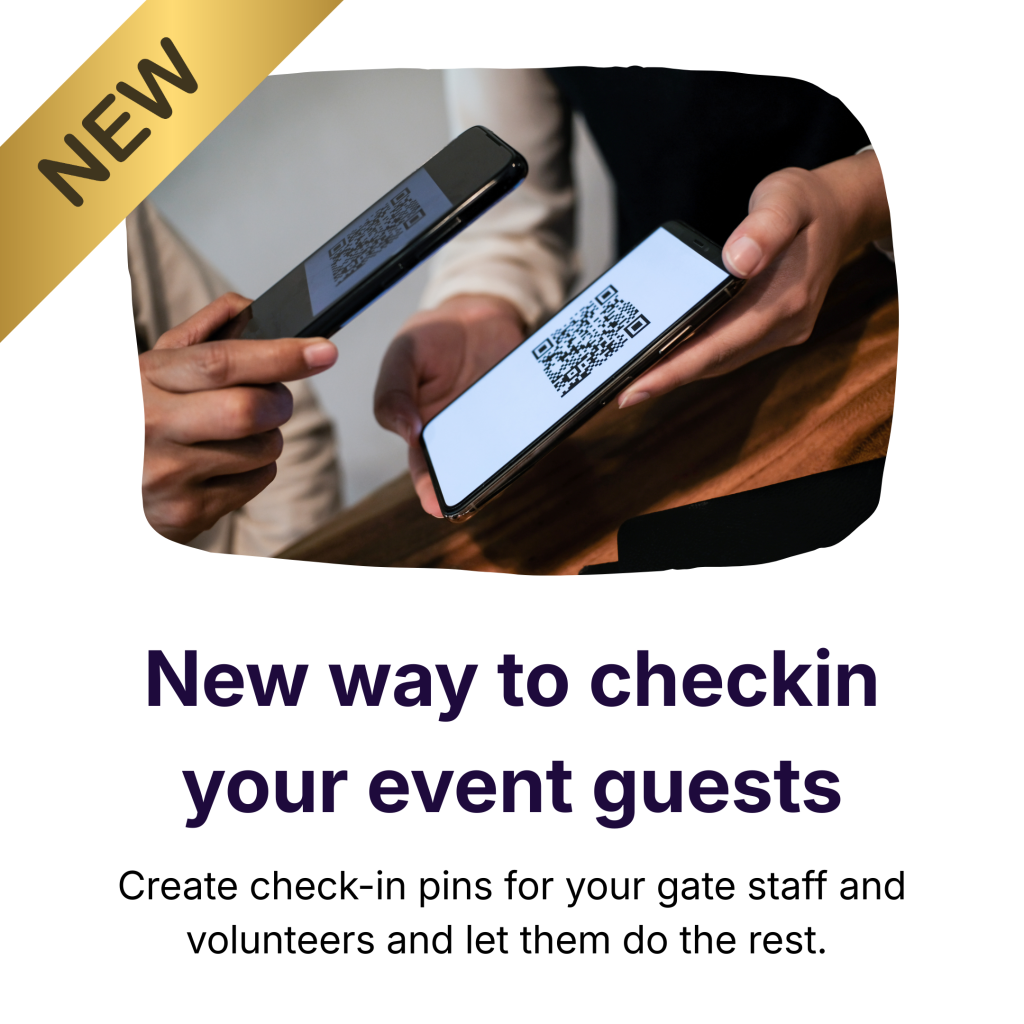
What Are Staff Check-in PINs?
A Staff Check-in PIN is a short numeric code (4–6 digits) you create for your event staff or volunteers.
Each PIN allows staff to:
- Access a dedicated check-in portal
- Check in attendees in real time
- Scan or verify tickets
All without seeing your payouts, settings, or sensitive account data.
Where to Find the Check-in Staff Page
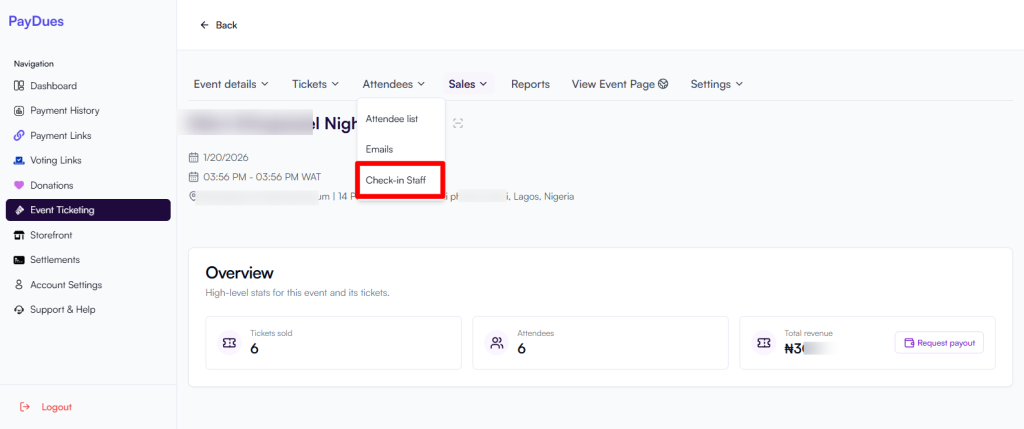
- Log in at https://dashboard.paydues.ng
- Click Event Ticketing from your dashboard
- Open the event you want to manage
- Click the Attendees dropdown at the top
- Select Check-in Staff
You’ll land on the “Check-in Staff & Volunteers” page.
Understanding the Staff Login Portal
On this page, you’ll see a Staff Login Portal link, for example:
https://dashboard.paydues.ng/events/[EVENT-ID]/staff-checkin
Important things to know:
- This link is unique to each event
- All staff use the same link
- Each staff member logs in using their own PIN
Click Copy Link to share it easily.
How to Create a Staff Check-in PIN
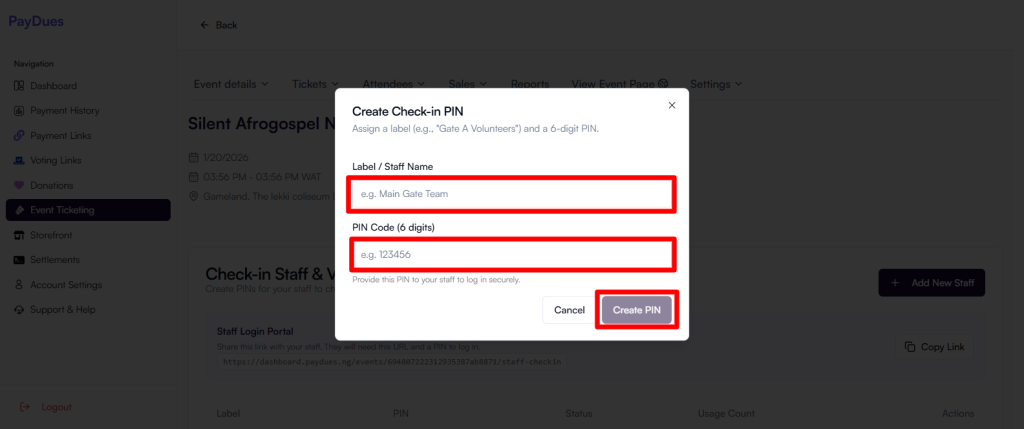
- On the Check-in Staff & Volunteers page, click Add New Staff
- Enter:
- Staff Name / Label (e.g. “Main Gate”, “VIP Entrance”)
- PIN (4–6 digits)
- Click Create / Save
Your staff PIN will now appear in the list.
You can create multiple PINs for:
- Different gates
- Different shifts
- Different volunteer teams
How to Share Access With Your Staff
To grant access, share two things:
1. Staff Login Portal Link
Copy the portal link and send it via WhatsApp, SMS, or email.
2. Individual Staff PIN
Send each staff member only their own PIN.
Example message:
Hi 👋
Use this link to check in guests for [Event Name]:
[Staff Login Link]
Your PIN: 123456
Please don’t share this PIN with anyone.
How Staff Check In Attendees
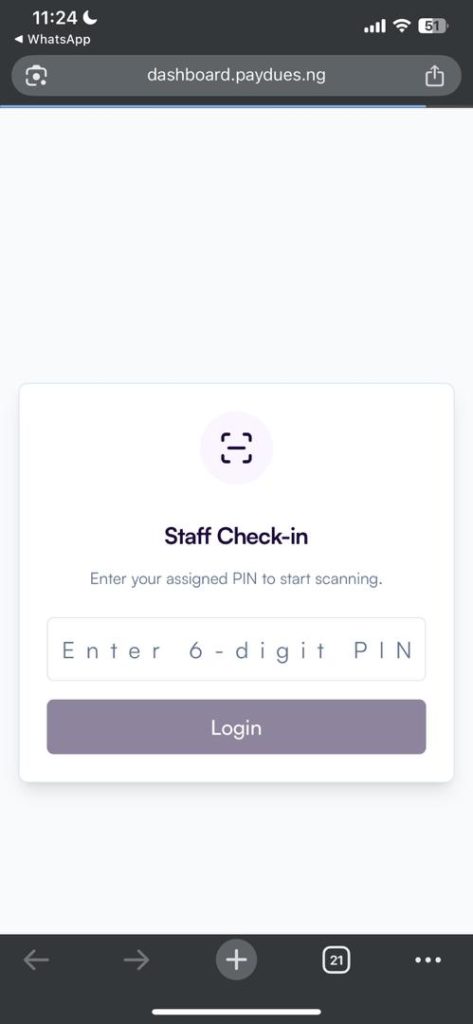
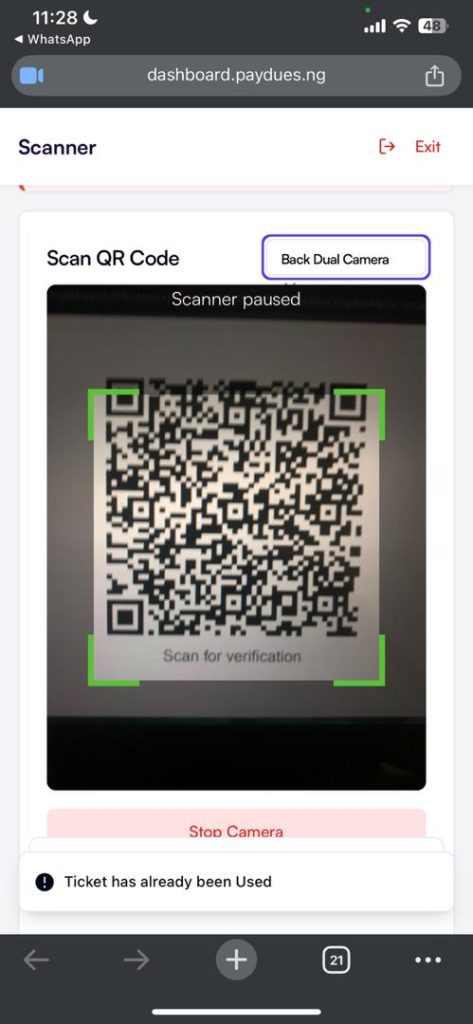
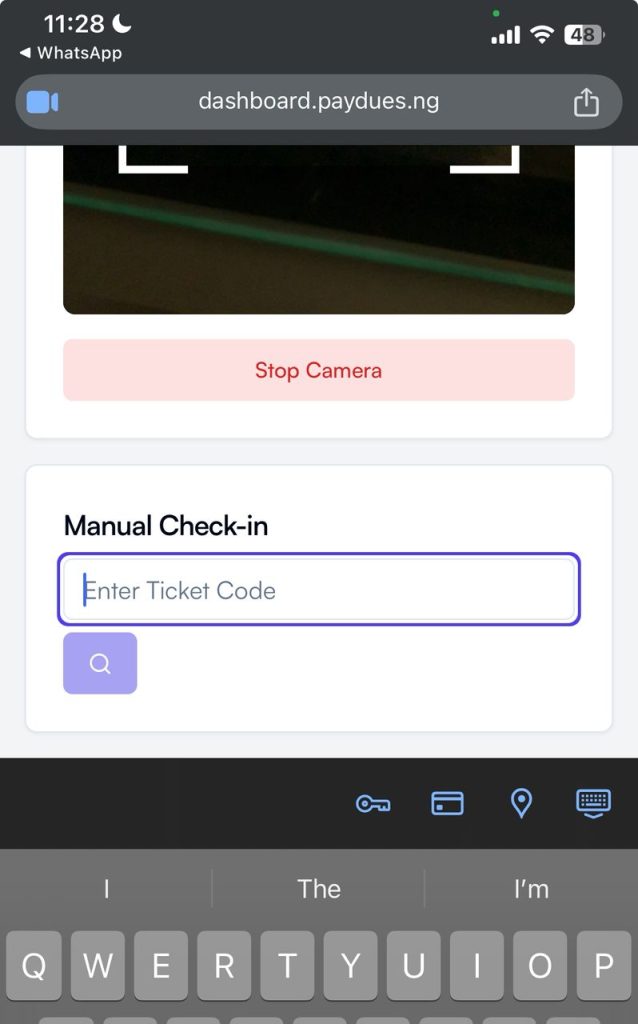
- Staff opens the shared link on their phone
- Enters their PIN
- Uses the check-in interface to:
- Scan tickets
- Search attendees
- Mark guests as checked in
All check-ins sync instantly with your dashboard.
Why Event Organizers Love This Feature
- Better Security
No need to share your PayDues login details. - Faster Entry
Multiple staff can check in guests at the same time. - Full Control
Deactivate or delete PINs anytime. - Cleaner Records
Real-time check-ins reduce errors and duplicates. - Professional Experience
No paper lists or manual spreadsheets.
Best Practices
- Use descriptive labels for each PIN
- Assign different PINs to different teams
- Deactivate PINs after the event
- Avoid sharing PINs in public groups
Get Started
Log in to your dashboard and set up your check-in staff in minutes:
👉 https://dashboard.paydues.ng
Have questions or feature requests?
📧 support@paydues.ng
💬 WhatsApp: +234 905 025 6911